AI Remodel Kitchen: How I'd Preview a Kitchen Before Spending a Dollar
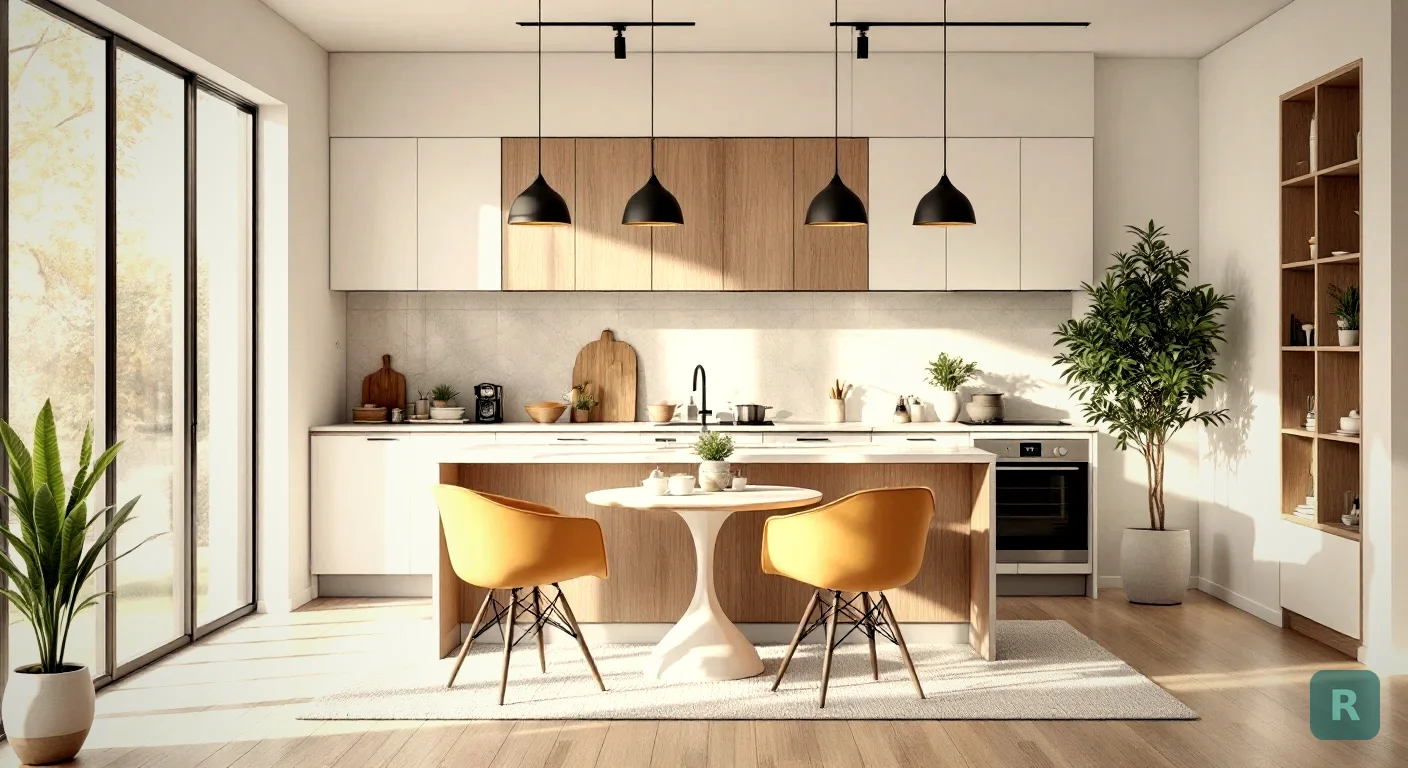
The kitchen is the room that scares people. It’s the most expensive remodel in the house, the one you live without for weeks, and the one where a wrong call costs the most to undo. I’ve built hundreds of them. The biggest holdup is almost never money. It’s that the homeowner can’t see it yet.
That’s the gap an AI remodel kitchen tool closes. You snap a photo of the kitchen you’ve got, pick a direction, and watch your actual space turn into something else in seconds. No demo, no deposit, no commitment. Just a clear picture before you spend the first dollar.
Here’s how I’d walk a client through it, and where the tech actually earns its place on the job.
Key Takeaways
- An AI remodel kitchen tool turns a phone photo of your current kitchen into a styled preview in seconds, before any money changes hands.
- Seeing the finished look first kills the costly mid-project changes that blow up kitchen budgets.
- Try three or four styles on your real space before you commit to one. It’s free to explore and changes nothing.
- The tool shows the look. A contractor still prices the work, the plumbing, and the surprises behind the walls.
- Bring the AI preview to your contractor consultation. It saves both of you hours of guessing.
Why Kitchens Are So Hard to Picture
A kitchen has more moving parts than any other room. Cabinets, counters, backsplash, flooring, lighting, hardware, appliances, paint. Every one of those is a decision, and they all have to work together.
Most homeowners pick those pieces one at a time, from samples, in a showroom. A little square of quartz next to a door sample under fluorescent light tells you almost nothing about how it looks in your room. I’ve watched people approve a counter that looked great on the chip and hate it once it was installed.
When you’re spending that kind of money, guessing is expensive. The whole point of previewing the kitchen first is to stop guessing.
How an AI Kitchen Preview Actually Works
The process is simple enough that anyone can do it from their couch. You don’t need measurements, software, or a designer on retainer.
Stand in the doorway and take a clear, well-lit shot of the space as it is right now.
Choose a style like Modern Farmhouse, Scandinavian, or Industrial, or write your own prompt.
In seconds, your real kitchen comes back styled out in the look you picked.
Run a few styles side by side. Keep the one that makes you stop scrolling.
The key thing is it uses your kitchen, not a stock photo of someone else’s. That’s what makes it click for people. They’re not looking at a magazine. They’re looking at their own room, changed.
Where AI Saves You Real Money
The expensive part of a kitchen remodel isn’t the first plan. It’s the second one. Change orders are where budgets go to die.
Here’s how it usually goes. Demo happens, cabinets go in, and the homeowner stands in the room and says “actually, I thought it would feel different.” Now we’re swapping a finish that’s already installed. That’s labor twice and materials twice.
Deciding you hate the cabinet color after install can add thousands and push your timeline out by weeks. Previewing the look before demo is the cheapest insurance you'll ever buy.
When a client comes in already sure of the direction because they’ve seen it on their own kitchen, the job runs smoother and cheaper. Fewer surprises. Fewer “can we change that” conversations halfway through.
Styles Worth Testing on Your Kitchen
Don’t lock into the first look. Half the value here is trying things you wouldn’t have considered. I’ve seen people walk in set on white shaker cabinets and walk out wanting something completely different once they saw it.
A few directions that tend to land well in kitchens:
- Modern Farmhouse for warmth, shaker doors, and that lived-in but clean feel
- Scandinavian for light wood, bright whites, and an open, airy look
- Industrial for darker tones, metal accents, and an urban edge
- Mid-Century Modern for clean lines and a retro warmth that’s having a moment
- Contemporary for a sleek, current look with handleless cabinets and bold counters
Run two or three on your real kitchen and the right one usually announces itself. You can browse the full set on the styles page to see what each one actually looks like.
What the AI Won’t Do (And Why You Still Need a Contractor)
I’ll be straight with you, because that’s how I run my business. An AI remodel kitchen tool shows you the look. It does not price the job, move the plumbing, or tell you what’s rotting behind the sink.
The render might show an island where your gas line won’t reach. It might style out a wall that’s actually load-bearing. That’s not a knock on the tool. It’s just not what it’s for.
A preview is a design starting point, not a construction plan. Always have a licensed contractor confirm what's actually possible in your space before you budget around an image.
Good, fast, or cheap. Pick two. AI makes the design part fast and basically free. The building part still takes a real craftsman who knows what happens when the walls come open.
How I’d Use This on an Actual Job
If I’m sitting at a kitchen table with a client tomorrow, here’s the move. Before I even quote, I have them snap a photo and run it through a few styles right there.
In ten minutes we go from “I don’t know, something nicer” to “that one, the farmhouse look with the dark island.” Now I can actually bid the real job instead of bidding a fog. That alone saves both of us hours of back and forth.
For years my workaround was asking people to build a Pinterest board and then showing them photos of my past work. It helped, but it never showed them their kitchen. This does. That’s the difference between hoping a client commits and watching them get genuinely excited.
Save two or three of your favorite AI renders and show them to your contractor at the first meeting. You'll get a faster, more accurate quote and waste far less time describing what you want in words.
Your Kitchen Preview Checklist
Before you call a single contractor, run through this:
- Take a clear, well-lit photo of your kitchen from the doorway.
- Run it through at least three different styles so you’re comparing, not settling.
- Save your top two looks to show your contractor.
- Note which elements you love and which you’d tweak.
- Set a real budget with 15 to 20 percent held back for surprises behind the walls.
- Get multiple bids and make sure every one covers the same scope.
See what your kitchen could actually look like before you spend a dollar. Try it free with ReVision AI and run your first three transformations on the house.
Get Design Inspiration Weekly
Fresh room makeover ideas, renovation tips, and style guides delivered to your inbox.
Design tips and inspiration only. Unsubscribe anytime.
Related Articles
Renovate With AI: How to Remodel Your Home Before You Spend a Dime
Use a renovate AI home remodel app to preview any room in seconds. See how to picture your space transformed before you ever swing a hammer or sign a bid.
8 min readAI Home Improvement: How a Contractor Actually Uses It on Real Jobs
AI home improvement tools let you preview a remodel before you spend a dime. Here's how I use AI on real jobs, what it nails, and where it falls short.
8 min readKitchen Cupboard Makeover: How to Refresh Cabinets Without a Full Remodel
A kitchen cupboard makeover can transform your space for a fraction of new cabinets. Real options, real costs, and how to see the result before you start.
8 min read