See Your Renovation Before You Start: How the ReVision AI App Works
Key Takeaways
- ReVision AI is an iPhone app that transforms room photos into photorealistic renovation visualizations
- Pick from 11 curated design styles or type a custom design prompt
- Free tier: 3 transformations. Pro: $4.99/month for unlimited
- Contractors use it as a closing tool on sales calls. Homeowners use it to plan renovations
- Download now on the App Store - first 3 transformations are free
The Design Gap Nobody Talks About
I’ve been doing remodeling for over 20 years. Third-generation carpenter. And in all that time, the hardest part of selling a job was never the price - it was helping homeowners picture what we were actually going to build.
Most contractors are builders, not designers. I’m no different. I can look at a dated kitchen and know exactly what needs to happen structurally, plumbing-wise, electrically. But asking a client to close their eyes and picture a Japandi-style kitchen where their 1990s oak-cabinet setup currently sits? That’s a big ask.
Homeowners can’t commit to something they can’t see. That’s just how it works. They know they want to change the room, but without a real visual, they hesitate. They say “let me think about it” - which often means the job never happens, or goes to a competitor who helped them see the vision first.
For years, my workaround was sending clients to Pinterest. They’d come back with photos from kitchens that looked nothing like theirs - different light, different layout, different scale. It helped a little. Not much. So I built ReVision AI to solve it properly.
What the ReVision AI App Actually Does
ReVision AI is an iPhone app. Take a photo of any room. Pick a design style. The app generates a photorealistic visualization of what that space could look like after renovation.
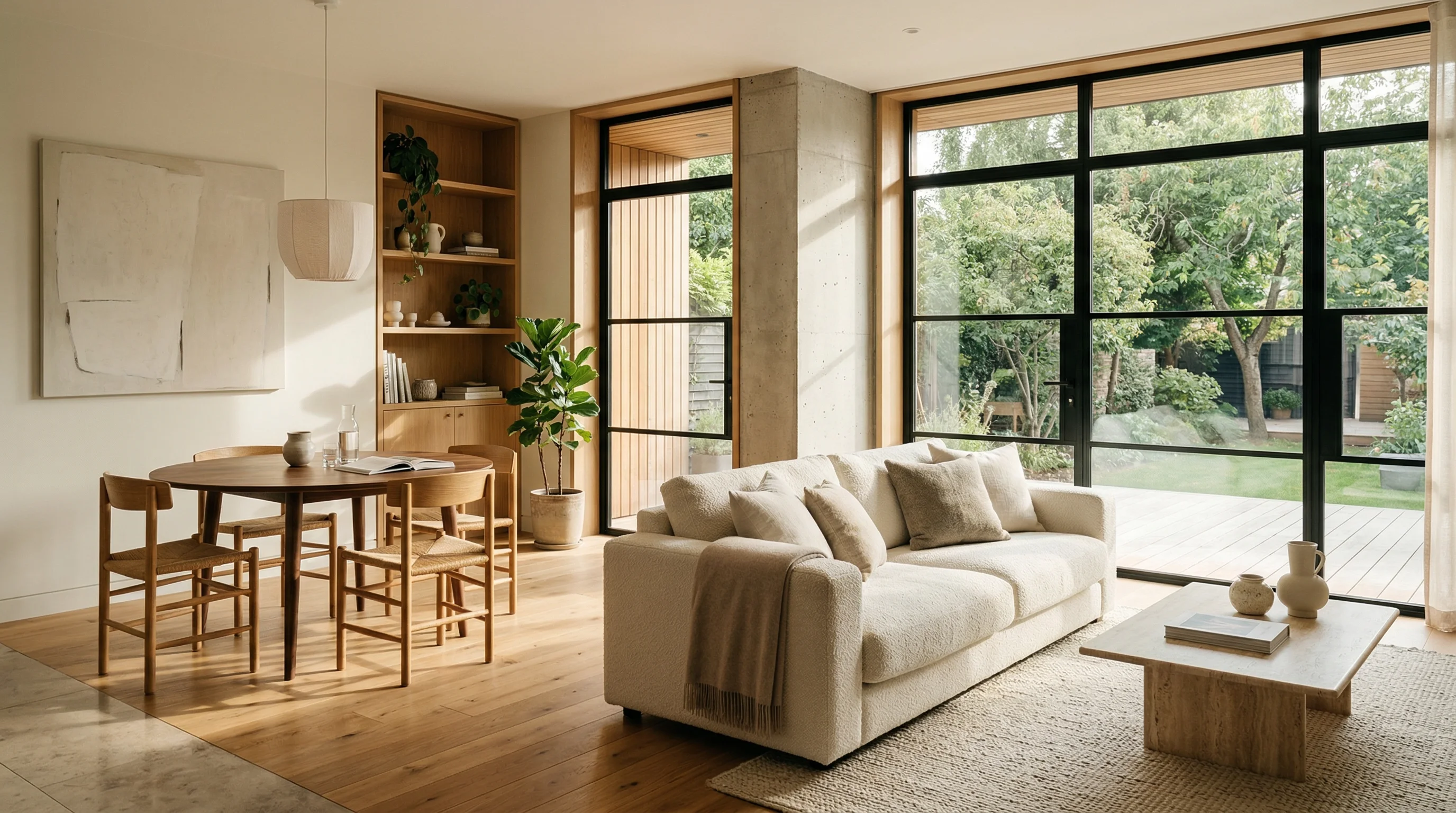
Not a sketch. Not a wireframe. A real image showing your actual room - your walls, your light, your layout - transformed into the style you selected.
The AI processes the original photo and applies your chosen style in seconds. You can browse real before-and-after examples in the gallery before you even download the app.
The app doesn’t tell you what the renovation will cost or how long it takes. That’s not what it’s for. It answers one specific question: what could this room look like? Once that question is answered, everything else gets easier to decide.
How to Use It
Three steps. No learning curve.
Open the app and snap a photo of the room you want to transform. Natural light helps, but any clear photo works. Point it at the kitchen, bathroom, living room - whatever space you're thinking about changing.
Choose from one of 11 curated design styles - Japandi, Modern Farmhouse, Industrial, Coastal, and more. Or skip the list and type your own custom prompt if you have a specific vision in mind.
The app returns a photorealistic version of your room in the chosen style. Download it, share it with a contractor, or run it through a few different styles to compare directions before you commit to anything.
The 11 Design Styles
This is where it gets interesting. I didn’t just pick generic categories. These are styles homeowners actually search for and contractors actually sell. Head over to the styles page for full descriptions and examples, but here’s the lineup:
- Japandi - Japanese minimalism meets Scandinavian warmth. Clean lines, natural materials, neutral palette
- Modern Farmhouse - Shiplap, open shelving, mixed metals. The style that dominated the last decade for good reason
- Industrial - Exposed brick, dark metals, concrete surfaces. Strong character, works especially well in open-plan spaces
- Mid-Century Modern - Tapered legs, organic shapes, bold accent colors
- Coastal - Light, airy, relaxed. Blues, whites, natural textures
- Bohemian - Layered, eclectic, full of personality
- Scandinavian - Simple, functional, bright
- Art Deco - Geometric patterns, rich colors, a bit of glamour
- Mediterranean - Warm terracotta, arched details, tile work
- Contemporary - Current, clean, adaptable
- Custom Prompt - Type exactly what you want if none of the above fit
Free vs Pro
I wanted this to be accessible, not a paywall trap. The free tier gives you 3 transformations - enough to actually try it on a real room and see whether it’s useful before spending anything.
| Feature | Free | Pro ($4.99/mo) |
|---|---|---|
| Transformations | 3 total | Unlimited |
| All 11 design styles | ✓ | ✓ |
| Custom prompt | ✓ | ✓ |
| Download and share | ✓ | ✓ |
| New styles as added | — | ✓ |
For homeowners exploring whether a renovation is even worth pursuing, 3 free transformations is usually enough to answer the question. For contractors using this on every sales call, Pro pays for itself on the first job it helps close. See the full pricing breakdown here.
I run ReVision AI during the initial consultation, not afterward. Take out the phone, snap a photo of the room right there, run it through the app while the client is standing in the space. The emotional impact is completely different from showing a rendering later over email. They see their room transformed, not a generic stock photo.
Why I Built This
There are design apps out there. Most of them make you drag furniture around a 2D floor plan or apply transformations to stock room photos that look nothing like your actual space. Neither of those helps in a real sales meeting.
I needed something that used the client’s actual room, produced a convincing result, and worked in seconds. Nothing on the market did that. So I built it - same reason I built my other tools. I had the problem, nobody else had solved it right, and I figured other contractors had the same issue.
The design gap is real. Contractors lose good jobs because clients can’t visualize what they’re signing up for. This app closes that gap without needing to hire a designer or spend days on renderings.
Start Using It Today
Here’s how to get going:
- Download ReVision AI from the App Store - it’s free to start
- Pick the room you’ve been thinking about changing
- Take a clear photo in decent light
- Choose one of the 11 styles or write your own prompt
- Screenshot or download the result and share it with your contractor, your partner, or use it to start a real conversation about the renovation
Three transformations are free. You’ll know after the first one whether this is useful for your project.
Get Design Inspiration Weekly
Fresh room makeover ideas, renovation tips, and style guides delivered to your inbox.
Design tips and inspiration only. Unsubscribe anytime.
Related Articles
How to Identify Furniture From a Photo (And Actually Find It)
Want to identify furniture from a photo and track down where to buy it? Here's how AI photo recognition works and how to find pieces you love for your home.
7 min readRenovate AI App: How a Contractor Picks One That Actually Helps
A renovate AI app turns a photo of your room into a finished design in seconds. Here is how I judge them as a contractor and which features actually matter.
8 min readFind Furniture by Picture: How to Identify and Buy the Piece You Saw
Want to find furniture by picture? Snap a photo, let AI identify the piece and show it in your own room before you buy. A contractor's real-world guide.
7 min read