AI Room Design Free: How to Visualize Your Renovation Before Spending a Dime
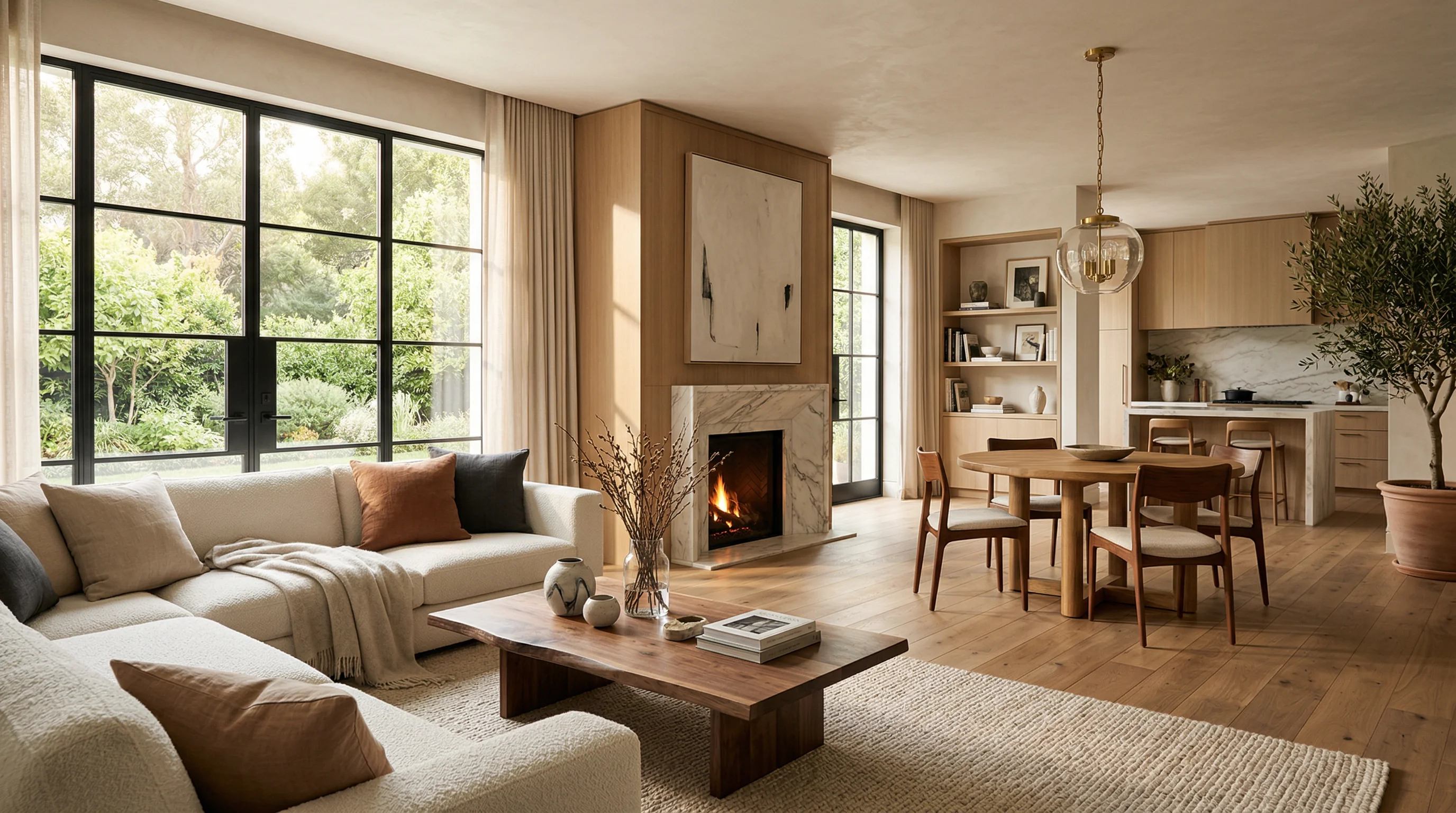
Key Takeaways
- Free AI room design tools let you see your renovation before you spend anything
- You can test multiple styles in minutes instead of paying a designer for hours of work
- Visualizing first prevents costly mistakes and helps you commit with confidence
- ReVision AI offers 3 free transformations so you can try it with your actual room photo
- The design gap between contractors and homeowners is real, and AI is finally closing it
I’ve been remodeling homes for over 20 years. Third-generation carpenter. Before that, B-52 crew chief in the Air Force. And one of the most consistent problems I’ve seen throughout my career has nothing to do with tile or plumbing or labor costs. It’s that homeowners cannot picture what they want.
They know they hate their bathroom. They know the kitchen feels dated. But when you ask them what they want instead, you get Pinterest boards full of conflicting ideas, or a shrug, or “I’ll know it when I see it.” That last one is the most honest answer. They literally need to see it before they can decide.
For years, my workaround was showing them photos from past jobs. “Here’s a Japandi bathroom we did in Tacoma.” But past work photos aren’t their space. The light is different. The layout is different. It never quite lands the way you need it to.
That’s why AI room design tools matter. And that’s why I built ReVision AI.
The Real Cost of Guessing Wrong
Before we talk about tools, let’s talk about what’s at stake when homeowners make design decisions without being able to visualize the result.
A mid-range kitchen remodel in the Pacific Northwest starts around $45,000. Bathroom remodels run $15,000 to $40,000 depending on scope. These are not small numbers. And when you pick a tile, a cabinet style, or a fixture finish based on a 4x4 sample tile or a catalog photo, you’re making a multi-thousand dollar bet on your imagination.
I’ve seen homeowners fall in love with a countertop sample at the showroom, install it, and hate it in context. The surrounding materials changed everything. I’ve seen tile selections that looked great on a 6-inch sample look completely different across 200 square feet of floor. The decision environment in a showroom and the reality of your kitchen are two very different things.
Visualizing your design before committing is not a luxury. It’s common sense.
What Free AI Room Design Tools Actually Do
Modern AI design tools use image generation models to transform a photo of your existing room into a photorealistic rendering of what it could look like in a different style. You’re not working with a blank 3D model. You’re working with a photo of your actual space.
Here’s the basic process:
Take a clear photo of the room you want to redesign. Natural light helps, but it doesn't need to be professional photography.
Pick from preset design styles like Japandi, Modern Farmhouse, Industrial, Coastal, or enter a custom prompt describing what you want.
The AI processes your photo and produces a photorealistic image of your room in the chosen style, typically in under a minute.
Run multiple styles side by side. Share with your contractor or family. Use what you like as a reference for the actual renovation.
The key distinction from older visualization tools: you’re not moving furniture around in a digital model. You’re seeing an AI interpretation of your actual room transformed into a different aesthetic. It’s much faster and more accessible than traditional 3D rendering software.
Why “Free” Matters More Than You Might Think
The traditional path for design help costs real money. A professional interior designer charges anywhere from $100 to $250 per hour. A design consultation alone might run $300 to $500 before a single material gets selected. For a homeowner doing a $20,000 bathroom remodel, adding $1,500 in design fees is a significant percentage of the total budget.
You don't need to pay a designer to explore styles. Use free AI visualization to narrow your direction first, then bring that clarity into any design consultation. You'll get more out of the paid time when you already know what you like.
Free AI room design tools lower the barrier to actually exploring possibilities. When something costs nothing to try, you try more options. You run five different styles instead of committing to the first thing that looks decent. That exploration phase is where good decisions get made.
The free tier of ReVision AI gives you 3 transformations at no cost. No credit card required to try it. Download ReVision AI and run those three free visualizations on your actual room before you call a contractor, pick a tile, or book a showroom appointment.
Which Styles Work Best for AI Room Design
Not every design style translates equally well to AI visualization. Here are the styles that tend to produce the clearest, most useful results:
| Style | Best For | What AI Renders Well |
|---|---|---|
| Japandi | Minimalist kitchens, bathrooms | Clean lines, neutral palette, natural materials |
| Modern Farmhouse | Kitchens, living rooms | Shiplap, open shelving, warm tones |
| Industrial | Kitchens, home offices | Exposed surfaces, metal accents, dark palettes |
| Coastal | Bedrooms, bathrooms | Light tones, natural textures, airy feel |
| Scandinavian | Any room | Whites, wood tones, functional simplicity |
| Mid-Century Modern | Living rooms, offices | Organic shapes, warm wood, bold accents |
Browse all 11 available styles on the ReVision AI styles page to find the direction that fits your space.
How Contractors Actually Use This Tool
From a contractor’s perspective, ReVision AI is a sales and communication tool as much as it is a design tool. And I say that as the guy who built it.
Here’s what happens without visualization: a homeowner tells me they want “something modern but warm.” I give them my best interpretation, we pick materials, we start the job. Three weeks in, the tile is set and the cabinets are in, and they say “this isn’t quite what I was picturing.” Now we have a problem.
Visualization solves this before it starts. When a homeowner can see a rendering of their actual kitchen in a Modern Farmhouse style before any decisions are made, they either confirm “yes, that’s what I want” or they say “actually, can we try something warmer?” That conversation costs nothing. Having it after the tile is set costs thousands.
I started showing clients visualizations of their spaces before we locked in any design decisions. It shortened the indecision phase, reduced change orders, and made clients more confident going into the project. They weren’t guessing. They’d already seen it.
Free vs. Paid: What You Actually Get
Here’s an honest breakdown of what the free tier gets you and when the paid tier makes sense:
For most homeowners doing a single room renovation, the free tier is enough to get a direction. If you’re redesigning multiple rooms, renovating in phases, or using visualizations as a communication tool with a contractor, Pro is worth it.
Common Mistakes to Avoid
Even with the best AI visualization tools, there are ways to misuse the output. Here are the traps I see people fall into:
- Treating the AI rendering as a literal blueprint. It’s a style reference, not an exact plan. Materials, proportions, and lighting will differ in reality.
- Using a bad source photo. Cluttered rooms, low light, or extreme angles make it harder for the AI to produce useful results. Clean the space, open the blinds, and shoot from a corner to capture as much of the room as possible.
- Stopping at one style. The whole point is exploration. Try at least 3 styles before you decide you know what you want.
- Not sharing results with your contractor. A visualization is a communication tool. Show it to whoever is doing the work. It replaces a thousand words of “I want something kind of modern but not too cold.”
Don't skip the visualization step because you think you already know what you want. The homeowners who were most certain about their design direction are often the ones who changed their mind once they saw it rendered. Seeing it changes things.
The Design Gap Is Real
I’ve talked about this before, but it bears repeating: most contractors aren’t designers. I’m a third-generation carpenter. I can frame a wall, tile a shower floor, and install cabinetry with precision. I’ve worked in Hawaii, Alaska, the Marshall Islands, the Pacific Northwest. I’ve built in tropical humidity and arctic cold.
But I’m not an interior designer. And most of my clients aren’t either. The design gap between “what the contractor can build” and “what the homeowner can visualize” is where renovation projects get complicated.
AI room design tools are the first practical answer to that gap that doesn’t require hiring a designer. The homeowner can explore on their own, find their direction, and walk into a contractor meeting with actual references instead of vague descriptions.
Check out the before-and-after gallery to see what AI visualization looks like in practice.
Start With Your Own Room
Here’s what I’d suggest if you’re planning any kind of renovation in the next six months:
- Download a free AI room design app (ReVision AI has 3 free transformations, no account required to start)
- Snap a photo of the room you’re thinking about renovating
- Try at least 3 different style options, including one you didn’t expect to like
- Save the results that resonate and share them with whoever you’re working with
- Use those images as the starting point for every design conversation going forward
That’s it. No design fees. No guesswork. No committing to a tile color based on a 4-inch sample.
Try it free with ReVision AI and see what your space could look like before you spend a dollar on materials.
The renovation you want is clearer than you think. You just need to see it first.
Get Design Inspiration Weekly
Fresh room makeover ideas, renovation tips, and style guides delivered to your inbox.
Design tips and inspiration only. Unsubscribe anytime.
Related Articles
How to Identify Furniture From a Photo (And Actually Find It)
Want to identify furniture from a photo and track down where to buy it? Here's how AI photo recognition works and how to find pieces you love for your home.
7 min readRenovate AI App: How a Contractor Picks One That Actually Helps
A renovate AI app turns a photo of your room into a finished design in seconds. Here is how I judge them as a contractor and which features actually matter.
8 min readFind Furniture by Picture: How to Identify and Buy the Piece You Saw
Want to find furniture by picture? Snap a photo, let AI identify the piece and show it in your own room before you buy. A contractor's real-world guide.
7 min read