AI Room Design from a Photo: See Your Renovation Before It Starts
Key Takeaways
- AI room design from a photo shows you a photorealistic renovation before any demo begins
- You can test multiple design styles on your actual room, not a generic mock-up
- Good lighting and a wide-angle shot make a significant difference in AI output quality
- Contractors use this to close deals faster because clients can finally commit to a vision
- ReVision AI processes your photo in seconds with 10+ curated styles to choose from
Here’s a problem every homeowner runs into: you know you want to renovate, but you can’t picture what it will actually look like when it’s done. You scroll Pinterest, save a hundred photos, and bring them to a contractor who nods politely and says, “We can do something like that.” Something like that. Not exactly that. And definitely not what your specific room will look like.
I’ve had this conversation hundreds of times over 20-plus years of remodeling. The homeowner has a vague vision, the contractor has experience, and somewhere in the gap between those two things, deals fall apart. Not because the work can’t be done. Because the client couldn’t commit to something they couldn’t see.
That’s exactly why AI room design from a photo is changing how renovations start.
Why Seeing the Design First Actually Changes Everything
When a client can see their actual kitchen or bathroom transformed into the style they’re considering, something shifts. The hesitation goes away. They stop saying “I think I want that” and start saying “yes, that’s it.” That moment of clarity is worth more than any mood board or sample swatch you could hand them.
The old workaround was asking homeowners to pull up Pinterest and show me photos they loved. My team would then pull from our portfolio of past work to show examples. It helped, but it was clunky, and it never showed the client their space. It showed someone else’s space in a style they hoped to get. Big difference.
AI room design from a photo closes that gap completely. You take a photo of the existing room. The AI reimagines it. The client sees their actual walls, their actual square footage, their actual layout, transformed into the style they’re considering. That’s not a sample board. That’s a preview.
How AI Room Design from a Photo Actually Works
The process is simpler than most people expect. No design software to learn. No 3D modeling. Just a photo and a style selection.
Take a clear, well-lit photo of the space you want to transform. Wide-angle is better than close-up - you want as much of the room in frame as possible so the AI has full context.
Open ReVision AI, upload the photo, and pick from styles like Japandi, Coastal, Industrial, Modern Farmhouse, or enter your own custom prompt if you have something specific in mind.
The AI processes your photo in seconds and returns a photorealistic rendering of that same room in the style you selected. You can regenerate, try a different style, or share the result with your contractor.
Try 2 or 3 styles side by side. See which one actually fits your space, your furniture, your light. Make the decision before any money changes hands or any demolition begins.
The whole thing takes a few minutes. And it runs on your iPhone, which means you can do this during a contractor consultation, at an open house, or sitting on your couch before anyone has even seen the space.
What Makes a Good Photo for AI Room Design
The quality of your input photo directly affects the quality of the AI output. This isn’t a complaint - it’s just how the technology works. Give it a strong photo, you get a strong result. Give it a dark, blurry snapshot, and you’ll get something less useful.
Shoot during the day with natural light on if possible. Stand in a corner or doorway to capture as much of the room as possible. Avoid using the zoom - back up physically instead. A wide-angle shot gives the AI more context to work with and usually produces more realistic transformations.
Here’s what to aim for when taking your photo:
- Natural light - Turn off overhead fluorescents if you can and use daylight through windows
- Wide framing - Get as much of the room in the shot as possible, not just one corner
- Stable shot - Lean against a wall or use a tripod for a sharper image
- Declutter if possible - A cleaner room gives the AI a cleaner canvas to work from
You don’t need a professional camera. A modern iPhone handles this just fine. The goal is to give the AI enough visual information about your actual space to produce something meaningful, not generic.
The Results Are Better Than Most People Expect
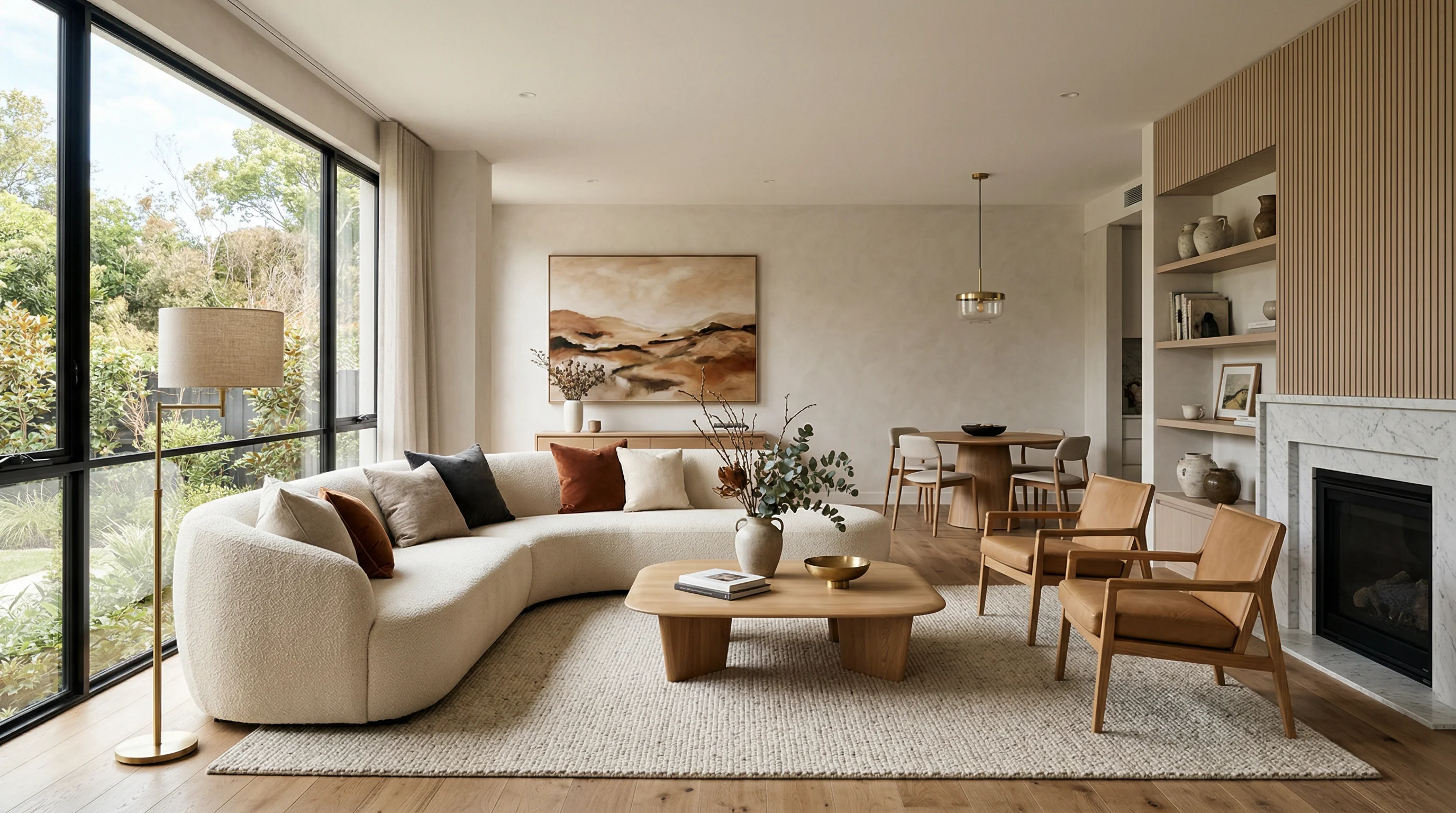
People are often surprised at how realistic the outputs look. This isn’t a cartoon overlay or a filter. The AI is looking at your room’s actual proportions, lighting, and structure, then rendering a genuinely different version of that space in the style you asked for.
Browse the ReVision AI gallery to see before-and-after examples. You’ll notice the AI maintains the room’s natural light sources, preserves the basic layout, and applies the style in a way that actually looks like a real renovation - not a Photoshop job.
When clients see this for their own room - not a stock photo, their actual bathroom - the conversation changes. They’re not imagining anymore. They’re reacting to something they can actually see.
For Contractors: This Is a Sales Tool Disguised as a Design Tool
I want to be direct about something. If you’re a contractor reading this, AI room design from a photo is not just for homeowners scrolling through ideas on a Sunday afternoon. This is a closing tool.
I’ve been in this trade for over two decades. The single biggest reason good contractors lose jobs isn’t price. It’s hesitation. The client likes you, they trust the bid, but they can’t commit because they can’t see the end result. They go away to “think about it” and never come back.
When you can pull out a phone during the consultation, take a photo of their kitchen right then, and show them what a Modern Farmhouse transformation looks like in their actual space in under a minute - that hesitation disappears. The job books.
Show clients 2-3 style options during the consultation using photos of their actual space. The styles page at revisionai.app/styles outlines every option available. Clients who can see the vision before the work starts are dramatically easier to work with throughout the project.
Picking the Right Style for Your Space
If you’re not sure which direction to go, here’s a quick breakdown of styles that tend to work well by room type.
| Room | Works Well With | Avoid If |
|---|---|---|
| Kitchen | Modern Farmhouse, Japandi, Contemporary | Small and dark (avoid Bohemian) |
| Bathroom | Coastal, Japandi, Mid-Century Modern | Very small (avoid heavy Industrial) |
| Living Room | Scandinavian, Art Deco, Bohemian | Depends on natural light |
| Bedroom | Japandi, Scandinavian, Coastal | Open concept spaces |
The best way to figure it out is to just try a few. The app is free for your first 3 transformations, so you can test 3 different styles on the same photo without spending anything. Check out the styles guide if you want a deeper breakdown of what each aesthetic involves before you pick.
Getting Started: Your Action Plan
No sense in overthinking this. Here’s how to go from “I want to renovate” to “I can actually see what it’ll look like” in the next ten minutes.
- Pick the room you're considering for renovation
- Open the window blinds and turn off overhead lighting for the best natural light
- Stand in the doorway or corner to capture the full room
- Take 2-3 photos from slightly different angles
- Download ReVision AI on your iPhone (free, 3 transformations included)
- Upload your best photo and try the style that appeals to you most
- Try a second style to compare - you might surprise yourself
- Share the results with your partner, family, or contractor before making any decisions
The renovation planning process has always had this frustrating gap between “I know I want to change this room” and “I know exactly what I want.” AI room design from a photo fills that gap faster than anything else out there.
Try it free with ReVision AI and see what your room could look like before a single cabinet is touched.
Get Design Inspiration Weekly
Fresh room makeover ideas, renovation tips, and style guides delivered to your inbox.
Design tips and inspiration only. Unsubscribe anytime.
Related Articles
AI Interior Decorator: How It Works and What It Can Actually Do
An AI interior decorator turns a photo of your room into styled design options in seconds. Here's how it works, what it nails, and where it falls short.
8 min readPaint AI Color Visualizer App: See the Color on Your Walls Before You Buy a Gallon
A paint AI color visualizer app shows real wall colors in your own room before you buy a single gallon. Here's how I use one on real jobs as a contractor.
6 min readDecorate With AI: How to See Your Room Restyled Before You Spend a Dime
Want to decorate with AI but not sure where to start? Here's how a third-generation carpenter uses it to test styles, layouts, and colors before buying.
8 min read